

Get More Newsletter Engagement Using This Simple Tool
Do your readers even know they can engage with your newsletters?


This week, we’re highlighting an easily executable, almost too simple feature of Substack that you may or may not be aware of. It is especially brilliant if the majority of your readers are outside the Substack ecosystem.
I was working with a client the other day who has 6000+ subscribers and an open rate between 30-40% (far above the average of 20-ish%). But when you look at overall engagement, the highest number of ‘likes’ on any of his posts is 10, and post comments are even fewer.
Looking at his dashboard, only 26% of his readers actually have Substack accounts. This means that roughly 4500 readers are ONLY reading from their inbox and then deleting.
Here’s the thing about outsiders reading Substack newsletters…
Most of them have no clue they can engage and comment because that’s not typically what newsletters are for.
People who read in their inbox are used to reading and deleting… not clicking through to a blog-like platform that lets them leave comments and likes.
The bottom of a Substack newsletter looks like this in an inbox:
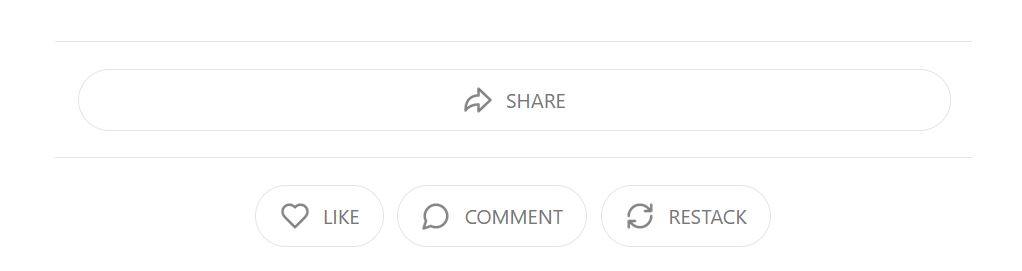
However, that area is at the VERY bottom, below all your footer content, etc. Readers who are not Substackers probably don’t even scroll far enough to notice.
Thankfully, we have a ready-made, customized tool that helps us encourage inbox readers to make their way to the app and, hopefully, create an account so they can like and comment on your content.
Here’s how to encourage inbox readers to come to the Substack app…
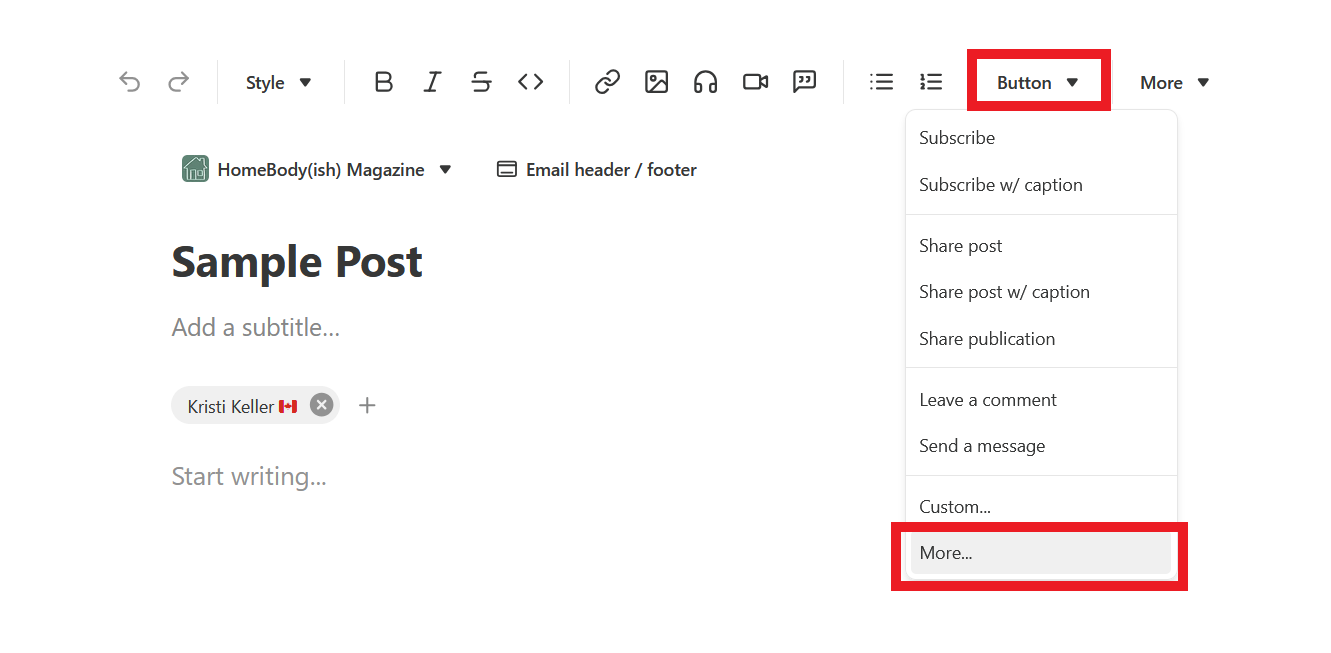
Inside any post draft, at the end of your content, click on the “Button” dropdown in the toolbar, then click on “More”.
After that, click on “Get the App”
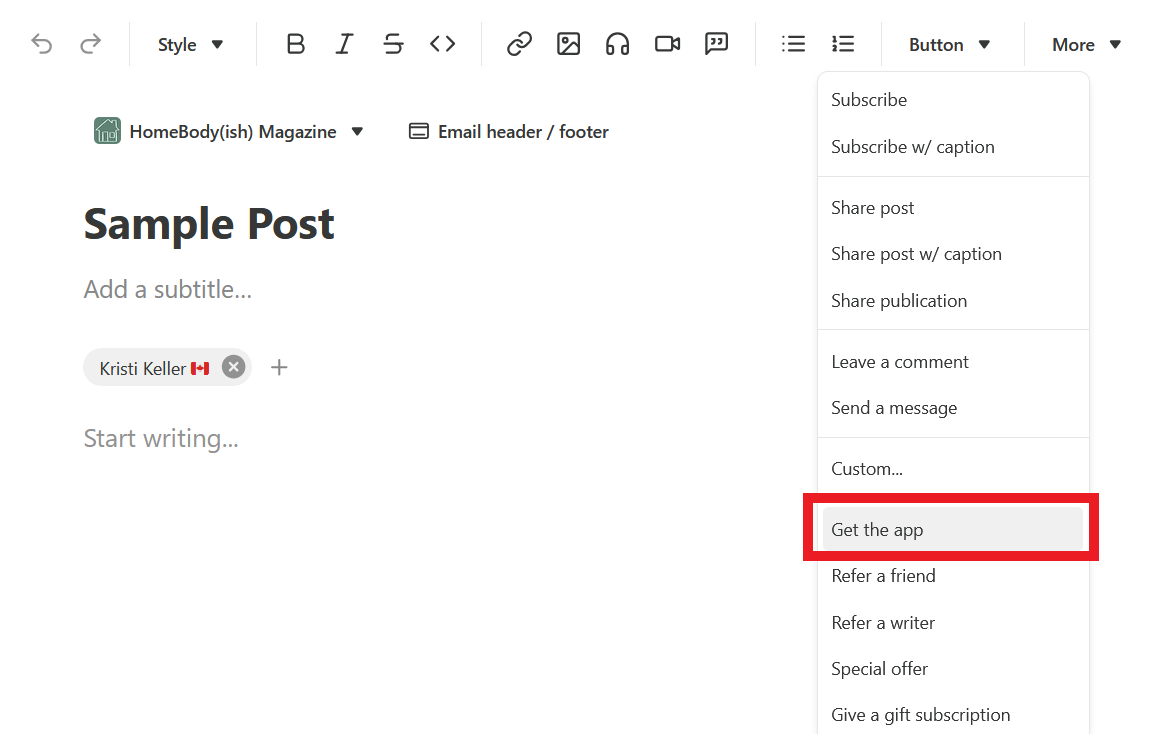
Clicking “Get the app” inserts a beautifully customized call to action for inbox readers. It looks like this (but with your publication info):
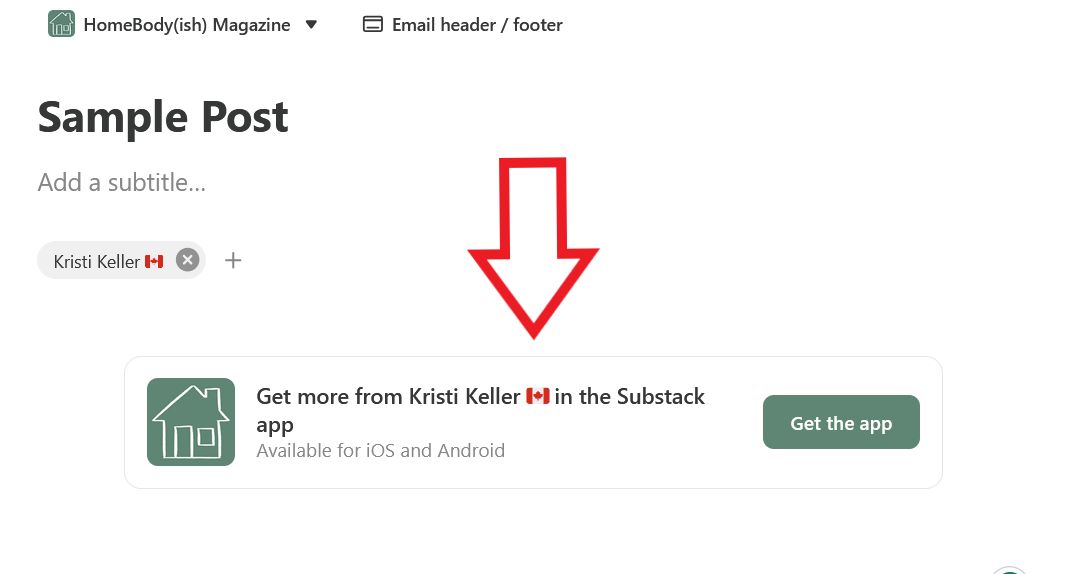
REMEMBER: Outsiders NEED your encouragement to come to the app because they probably aren’t aware it exists.
You can gently encourage them to visit your posts via the app by writing a short blurb to accompany the call to action, like so:
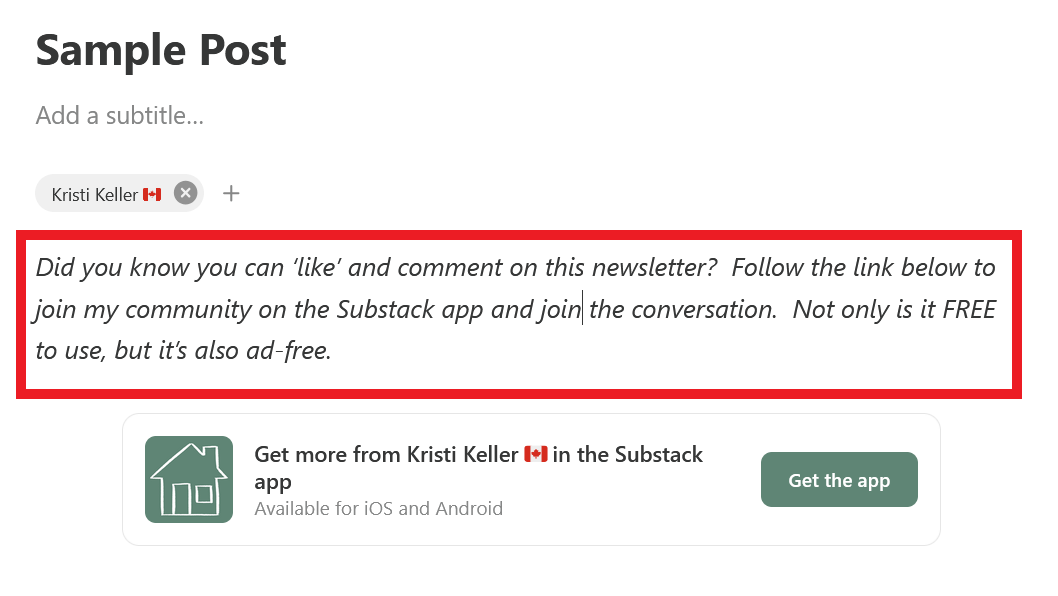
Of course, you can customize your blurb to your liking.
I feel like the built-in CTA that Substack provides makes your publication look very credible, almost as if you have your own private app.
You can also take it a step further and include this call to action right in your Welcome email. If you haven’t written a welcome email yet, you need to read last week’s post about the HUGE missed opportunity when you don’t customize it.
Read it here:


That’s it for this week!
Did you know about the “Get the app” button? If so, have you used it to encourage your inbox readers to come join you on the platform?

Great tip Kristi! I love how generous you are in these posts. It's lovely to see. xo
oh this is great! I def have a huge crew of folks how are inbox readers and then they'll text me or email me to say yay but it doesn't make it back to the platform- I'm going to use your tip here and see if my stack can get some more love. Thank you!